About me
Let's get to know each other. Here are some of my passions, interests, and ambitions.
Hi there! I'm Ellie ✨
I'm a Web Designer with a strong love for all things internet and a deep belief that it should be for everyone, in other words, accessible and enjoyable for everyone. I discovered my passion for web design in an unexpected way and now it’s my whole world.
Today, I focus on creating useful, organic, and accessible digital experiences. I have hands-on knowledge of WCAG guidelines and experience performing accessibility testing to ensure inclusive interfaces for all users. CSS is my playground! Of course, after building solid, semantic markup, I love experimenting with new techniques and learning better ways to bring interfaces to life.
When I'm not coding💻, I'm writing📝, walking my dogs🐕, drinking coffee☕, or looking🔭 for inspiration!
Website Projects
This is a selection of websites I have created since I started working in front-end development. If you would like to learn more about my role and contributions to each project, just click on “Read the full case study.”
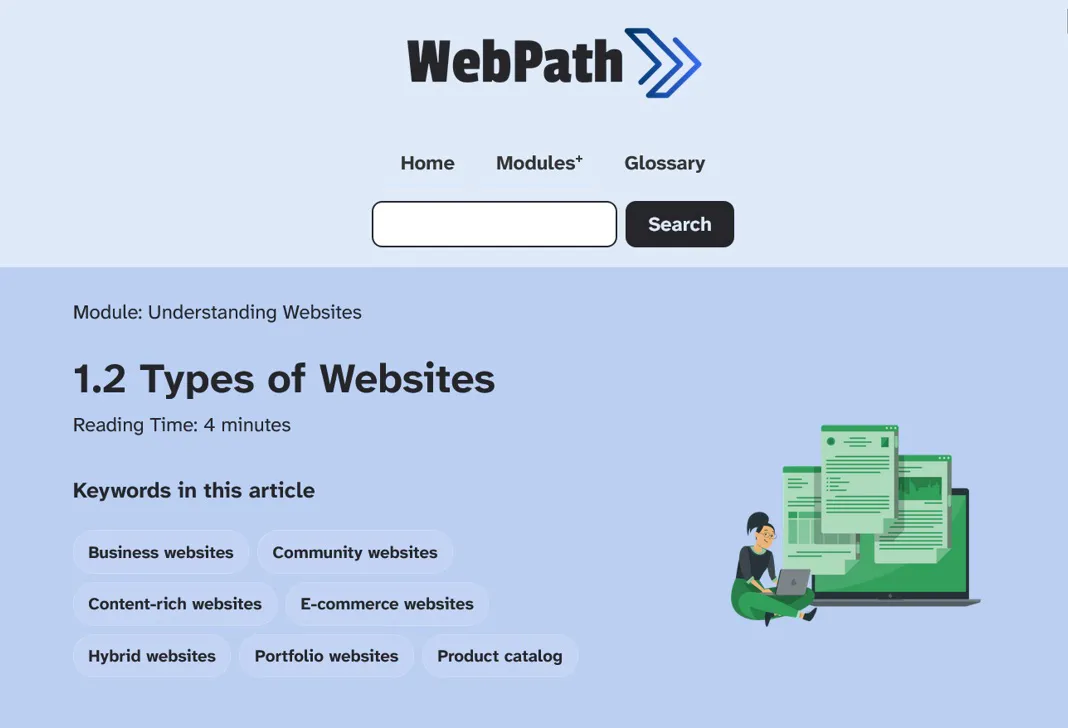
WebPath is an educational and support tool for people who want to understand the web development process from the perspective of the consumer of the service. Read the full case study

I contributed with the university by applying what we have learned on this site, which showcase the work of students for the 2025 academic year. Read the full case study

The story of how I created my first website, the obstacles I faced and how in the incredible learning process I fell in love with web development. Read the full case study
What I do
I am a structured, efficient, detail-oriented, and result-driven digital designer who loves transforming the way we experience the web by designing and building websites for businesses around the world.
As a designer
I believe in harmonising each design element so that they help your business gain the trust of your customers and empower it to generate the results you expect in your business. I focus on creating thoughtful designs that create memorable experiences that represent your business values.
My tools
- Adobe Creative Suite: visual design, image editing, and print-ready assets
- Figma: UI design, component libraries, and collaborative prototyping
- Miro: user journey mapping, wireframing, and workshop facilitation
As a developer
I deliver semantic websites, responsive, and built to last, designed to bring real growth to the businesses behind them. Accessibility is a natural part of how I code, not an afterthought, inclusive code is simply better code.
My tools
- HTML5, CSS3, JavaScript: semantic, accessible markup, responsive layouts, theme systems, DOM manipulation, localStorage,
- WordPress: custom theme development and content management for client sites
- Git: version control and collaborative development workflows
- Azure DevOps & Agile methodology: sprint planning, backlog management, collaborative workflows
- Lighthouse & GA, Microsoft Clarity: performance auditing, accessibility scoring, user behaviour analysis, heatmap and session recording analysis
As a learning designer
I design digital learning experiences that engage, inform, and stick. I have hands-on experience building and managing course content in different LMSs, creating interactive activities with H5P, and developing e-learning modules in Articulate Storyline. I bring the same accessibility-first approach to learning design that I apply to web development, inclusive learning environments matter as much as inclusive websites.
My tools
- Moodle, Sakai & Pathwright: course building, learner management, and platform administration
- H5P: interactive content creation
- Articulate Storyline: interactive e-learning module design and development
- Figma & Miro: course storyboarding, wireframing, and visual planning
As a accessibility specialist
Accessibility isn't a checklist, it's a mindset I bring to everything I design and build. I apply WCAG 2.1 guidelines across my projects, conduct accessibility audits in a professional environment, and advocate for inclusive design from the very start of a project. I'm actively building my expertise and have no intention of stopping, because the web should work for everyone, without exception.
My tools
- WCAG 2.1: applying and auditing against accessibility guidelines
- Keyboard navigation: semantic structure and focus management
- Screen reader compatibility: ARIA attributes and meaningful markup
- Google Lighthouse: automated accessibility scoring and performance auditing
- Manual testing: keyboard-only navigation and assistive technology checks